Jailbreaking a Kindle to Read My Bookmarks
My Kindle Oasis mostly sat on the nightstand while I doomscrolled on the phone next to it. Meanwhile I kept saving articles to Karakeep, my self-hosted bookmark manager. Saving had become a way of closing tabs without guilt: everything was tagged and searchable, and I read almost none of it.
One weekend I decided to fix that. The usual ways of getting an article onto a Kindle are emailing it to an @kindle.com address or dragging files over a USB cable, and I wasn’t going to do that every time I saved something. I wanted the Kindle to pull from Karakeep on its own.
Getting there took a jailbreak, KOReader, and Tailscale. Now I save an article, add it to the Kindle Inbox list, sync in KOReader, and read it on the device.
Jailbreaking the Oasis#
Mine is a 10th-gen Oasis on firmware 5.16.x. Jailbreaks are specific to both model and firmware, and the methods change as Amazon ships updates, so any steps I paste here would be stale in a few months. I followed the Kindle Modding jailbreak guide, which is kept current.
A jailbreak can brick the device, weakens its security, and may void the warranty. I could live with all of that. I stuck to the guide and kept the Kindle in airplane mode whenever it asked, so an update from Amazon couldn’t land halfway through.
After the jailbreak, I installed three things:
- KUAL and MRPI, the launcher and package installer most Kindle homebrew depends on.
- KOReader, via the Kindle Package Manager: I typed
;kpm install koreaderinto the Kindle’s search bar. - The OTA blocker recommended in the guide, so a routine update doesn’t undo all of this.
None of this replaces Amazon’s reader. KOReader runs alongside it as an app I launch from KUAL, and it’s the better reader of the two. It opens EPUBs directly, no detour through Amazon’s conversion service. I can install my own fonts and set margins, line spacing, and hyphenation exactly, instead of picking from the stock reader’s handful of presets. And it takes plugins, including the News Downloader that fetches RSS and Atom feeds, which the rest of this setup is built on.
Getting it on the tailnet#
Karakeep isn’t exposed to the public internet. It’s reachable only over Tailscale, and I wanted to keep it that way, which meant the Kindle had to join the tailnet.
I got Tailscale running with the Tailscale KUAL extension, which sets up the official static ARM binaries and adds KUAL menu entries for starting and stopping everything. Tailscale’s own posts on getting a Kindle onto a tailnet and proxy and TUN modes helped me understand what I was setting up.
I changed a few of the extension’s defaults:
- Removed
--sshfromup.args. The Kindle doesn’t need to accept SSH connections to download articles. - Disabled the self-updater. It replaces the local binaries with the latest release, with no checksum verification and no rollback. I’d rather update two binaries by hand.
- Enrolled with a one-off, pre-approved, untagged auth key, then deleted it from the device. I kept it untagged because Taildrop doesn’t work with tagged nodes, and I wanted Taildrop later.
Proxy mode#
The extension offers three modes. Standard userspace mode makes the Kindle reachable from the tailnet, but doesn’t let apps on the Kindle reach a 100.x.y.z address. Kernel TUN gives real system-wide routing, but needs kernel support that not every firmware has. I went with proxy mode, which has neither problem: it exposes an HTTP/SOCKS proxy on 127.0.0.1:1055, and KOReader already knows how to use one.
From KUAL, I start it in this order:
Tailscale → Start Tailscaled → Proxy Mode
Tailscale → Start Tailscale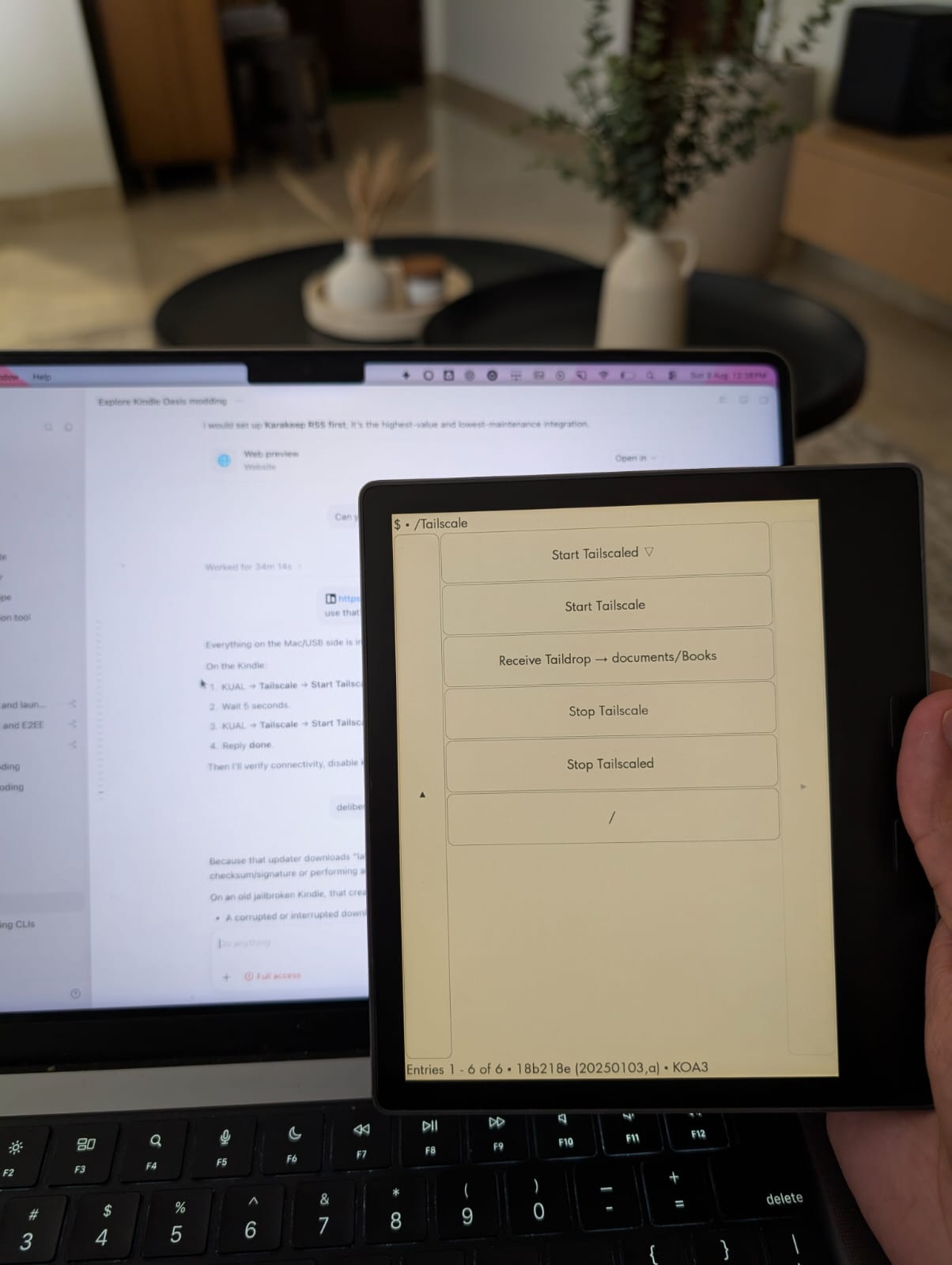
Then I pointed KOReader’s HTTP proxy at http://127.0.0.1:1055, which can also be set directly in settings.reader.lua:
["http_proxy"] = "http://127.0.0.1:1055",
["http_proxy_enabled"] = true,
I don’t run Tailscale at boot. It costs a few taps before each sync, but a VPN daemon doesn’t need to run around the clock for a device that syncs once a day. I bring it up, sync, and stop it.
Turning a Karakeep list into a feed#
Karakeep already had the plumbing: any manual list can be published as an RSS feed, protected by a token in the URL. I created a list called Kindle Inbox, enabled RSS in its sharing settings, and copied the URL. The token in the URL is the only thing protecting the feed: anyone who has it can read everything in the list.
KOReader’s News Downloader keeps its feeds in /mnt/us/koreader/news/feed_config.lua. My whole config is one feed:
return {
    {
        "KARAKEEP_RSS_URL_WITH_SECRET_TOKEN",
        limit = 20,
        download_full_article = true,
        include_images = true,
    },
}
The placeholder stands in for my real feed URL, which has the secret token in it.
download_full_article is the important one. The feed entries only point back to the saved articles; with this on, KOReader fetches each page and converts it into a local EPUB.
One gotcha: changing include_images later doesn’t touch already-downloaded EPUBs. I had to delete them from the news folder, restart KOReader, and sync again.
To sync, I tap through:
KOReader → Tools → News downloader → Sync news feedsThe EPUBs land under /mnt/us/koreader/news/, grouped by feed, and work fully offline.
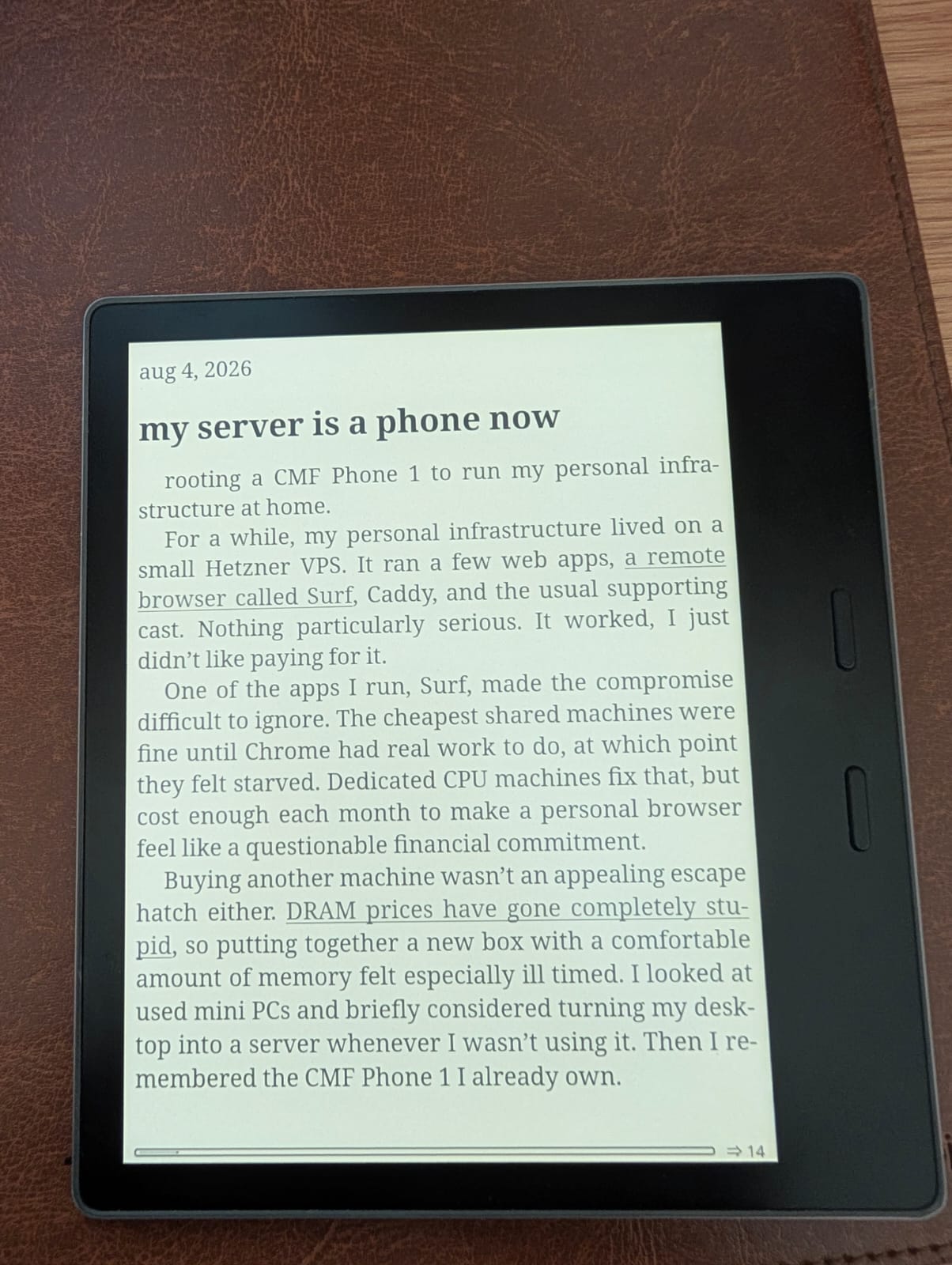
I still do the capturing, tagging, and archiving in Karakeep; the EPUBs on the Kindle are just copies to read.
The feed with zero articles#
My first sync created the right folder and downloaded nothing: zero articles and no errors.
The cause was one HTTP header. Karakeep returns:
Content-Type: text/html; charset=utf-8and the News Downloader version on my Kindle compared that entire string against the literal text/html. The charset parameter made every valid HTML response look like an unsupported type, so the plugin silently dropped all of them.
The fix was a one-liner in koreader/plugins/newsdownloader.koplugin/main.lua, right after the page is fetched:
local content_type, content = DownloadBackend:loadPage(link, cookies, extra_headers)

-- Compare the media type, ignoring parameters such as charset=utf-8.
content_type = content_type and content_type:match("^%s*([^;]+)")
This may well be fixed upstream by the time you read this, so it’s worth checking the current plugin source before patching. For me, the lesson was that a feed which syncs “successfully” with zero articles can be a Content-Type problem on the server, not the network.
Books go over Taildrop#
Books are a different problem: they’re files on my Mac, not links in Karakeep, so the feed can’t carry them. For those I use Taildrop. Sending one is a single command:
tailscale file cp "The Great Gatsby - F. Scott Fitzgerald.epub" kindle-oasis:The Kindle still has to collect the waiting file, so I added a small KUAL action for it:
mkdir -p /mnt/us/documents/Books
/mnt/us/extensions/tailscale/bin/tailscale \
    file get --conflict=rename /mnt/us/documents/Books
EPUB is my default because the text reflows around whatever font size and margins I pick. PDF only makes sense when the page layout itself matters, and even then an Oasis is a small screen for an A4 page. Taildrop also can’t send to or from tagged nodes, which is why the Kindle is enrolled as a personal, untagged device.
Cleaning up#
Once everything worked, I went looking for leftovers and found a passwordless root telnetd listening on port 23. It was convenient during setup, but it also gave a root shell to anyone else on the network. I killed it and confirmed the port was closed.
The rest of the cleanup:
- I deleted the auth key from the extension once the Kindle joined the tailnet.
- I applied tailnet ACLs; being on my private network doesn’t mean it needs access to every machine on it.
- I update the extension and binaries manually, from a known source, with verified checksums.
- I didn’t bother with a factory reset: it deregisters the device, wipes the data on it, and can complicate the jailbreak, without touching Amazon’s server-side data anyway.
For daily use I skip Amazon’s home screen entirely: KOReader opens straight into my library, with no recommendations for books I never asked about.
Will I actually use it?#
The obvious risk was that I’d spend a weekend on the pipeline, admire the Kindle’s green dot in the Tailscale admin console, write this post, and go back to reading rubbish on my phone. None of it makes me put the phone down.
So that part became a routine of its own: dedicated reading time before bed. One sync fills the Kindle, and whatever is sitting in the Kindle Inbox is the night’s reading. I’m pretty happy with how it’s turned out: the setup hasn’t needed any attention since I built it, and the only friction left is the few taps to bring Tailscale up before a sync.
The Kindle still lives on the nightstand. These days it’s the phone that lies there untouched.